Making Holographic Queue Barriers React to the Player
Turning an ordinary queue barrier into an interactive hologram using Unreal Engine 5 materials, collision detection, and dynamic visual effects.
 FIELD NOTES / SIDE QUEST STUDIOS
 Sometimes, the smallest details can make a game world feel more alive.
While developing the G.R.A.C.E. facility in Project Meridian, I started experimenting with a fairly ordinary environmental object: the queue barriers you’d expect to find in a waiting room.
Except these aren’t ordinary queue barriers.
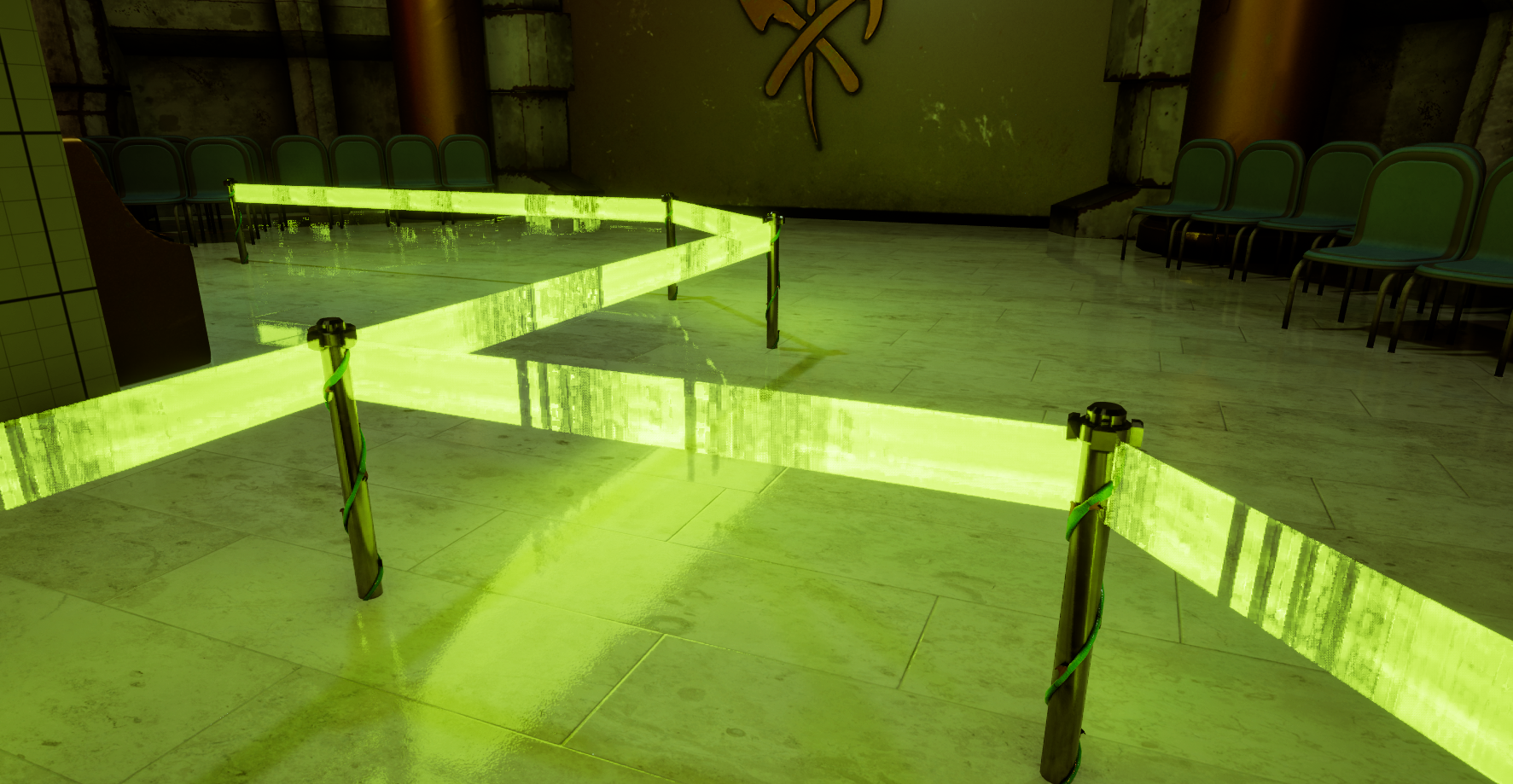
Instead of traditional ropes or retractable fabric belts, the facility uses holographic barriers that emit glowing bands of light between their posts.
They looked pretty cool on their own, but I wanted to take things a little further.
What if the barriers actually reacted when the player walked through them?
Building the holographic material
The first step was creating a material that could convincingly represent a projected hologram.
I wanted something that looked like it was being generated electronically rather than a solid physical object.
That meant experimenting with emissive lighting, transparency, and animated visual distortion.
The material uses a bright green emission to create the appearance of a projected barrier. Subtle variations and distortion help break up the otherwise uniform surface, giving it a slightly unstable, electronic appearance.
The result is a barrier that looks like it belongs inside a strange, futuristic government facility.
And yes, the irony of a futuristic civilization still making people wait in line is completely intentional.
Making the environment respond
Once the material was working, I wanted to make it interactive.
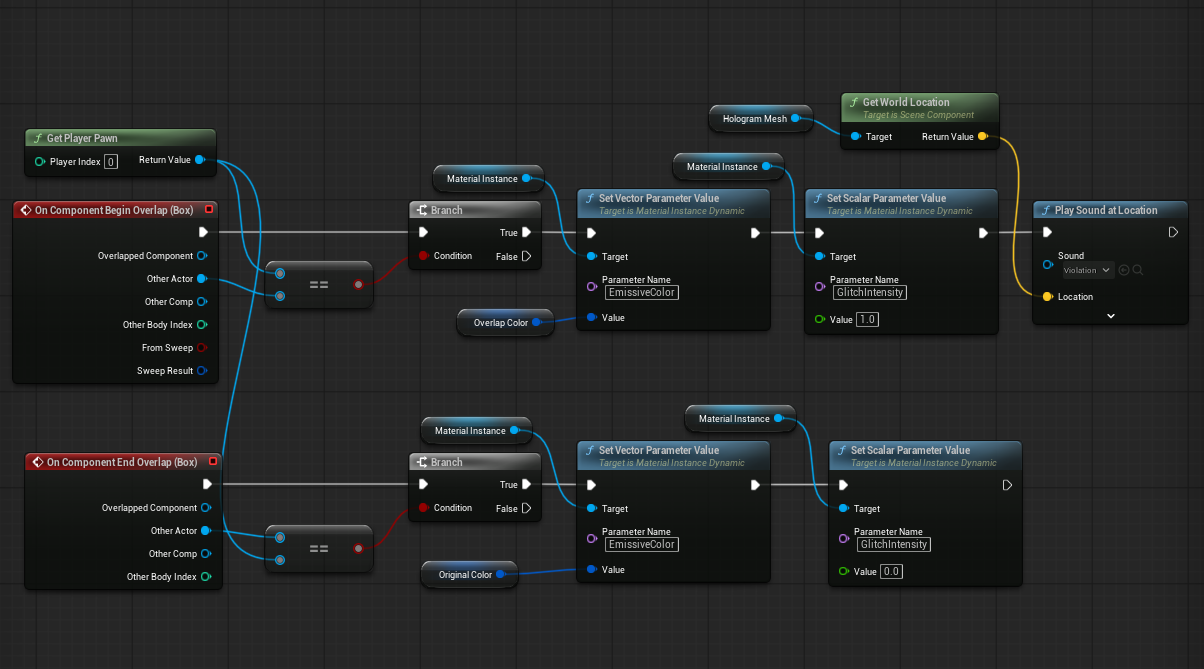
Using Unreal Engine 5’s Blueprint system, I added collision detection to the barrier so it could recognize when the player entered its space.
Rather than simply disabling the hologram, I wanted the barrier to communicate that something was interfering with its projection.
The solution was to change the material’s appearance when the player passes through it.
Under normal conditions, the barrier emits a bright green glow.
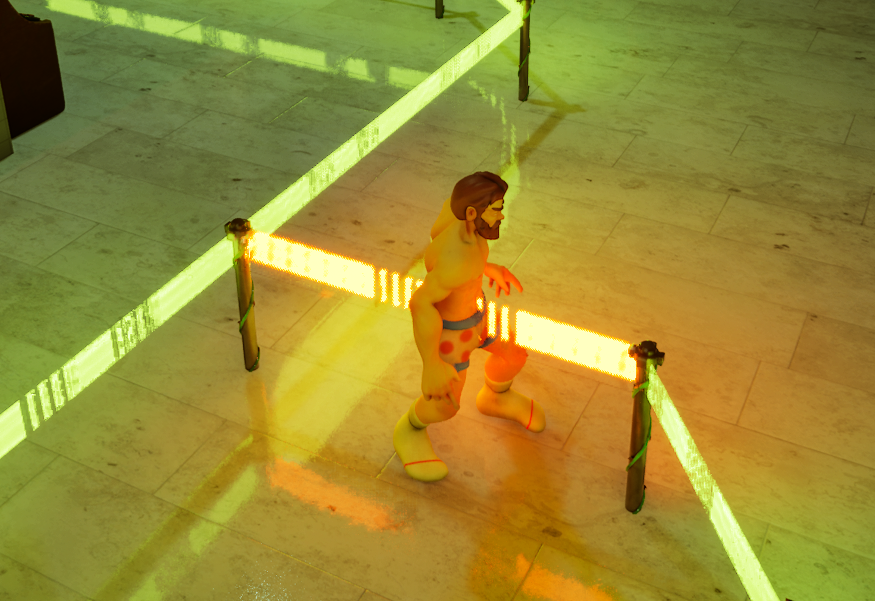
When the player enters the collision area, the affected section transitions to an orange warning color.
It’s a relatively simple interaction, but it immediately makes the object feel more responsive.
The barrier is no longer just decoration. It’s acknowledging the player’s presence.
Adding distortion with World Position Offset
Changing colors was a good starting point, but I wanted the hologram to behave as though its projection was being physically disrupted.
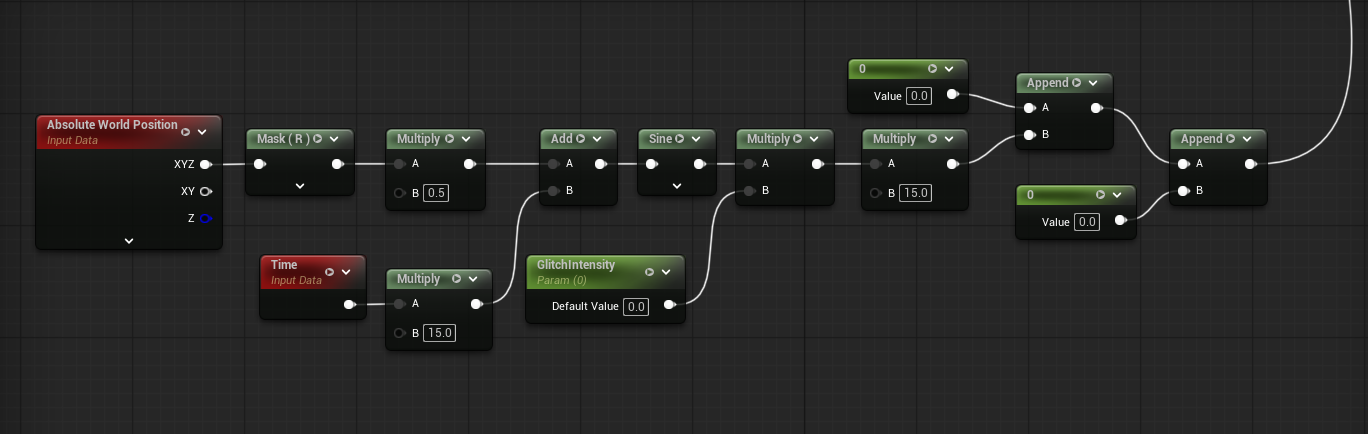
That’s where World Position Offset (WPO) comes in.
In Unreal Engine, World Position Offset allows a material to manipulate the positions of a mesh’s vertices.
By introducing animated movement into the material, I could make the holographic barrier shift and distort when the player interacts with it.
This creates the impression that the projection is struggling to maintain its shape while something passes through it.
One interesting challenge was getting the movement to behave consistently across different barrier orientations.
An effect that looked great on one section didn’t necessarily translate perfectly to another.
It’s a good reminder that even relatively small visual effects can require experimentation before they behave the way you expect.
Small interactions, bigger worlds
One of my goals with Project Meridian is to make the environment feel like more than a collection of static objects.
Not every interaction needs to trigger a quest, unlock a door, or reward the player with something.
Sometimes, it’s enough for the world to simply react.
A flickering monitor, a malfunctioning terminal, or a holographic barrier responding to someone walking through it can make an environment feel more believable.
These details also give us opportunities to communicate information without relying on traditional user interface elements.
In this case, the orange glow immediately suggests that the player is interfering with the barrier.
No tutorial message required.
What’s next?
The current system gives us a solid foundation for experimenting with more advanced holographic effects.
I’d like to continue refining the distortion, particularly how the material behaves when the player enters and exits the collision area.
There are also opportunities to experiment with additional flickering, interference patterns, and sound effects.
For now, though, I’m pretty happy with how such a small environmental detail has turned into something much more interesting.
And if there’s one thing I’ve learned while developing Project Meridian, it’s that sometimes the best ideas start with something as ridiculous as making a waiting-room queue barrier glow.
Until next time, keep exploring.